
Download Windows Live Photo Gallery – photo management, photo editing, photo sharing, photo organization, photo tool
Overview
Windows Live Photo Gallery is a dedicated photo management tool developed by Microsoft, designed to help users organize, edit, and share digital photographs with ease. As a free application, it serves as an accessible entry point for individuals seeking a straightforward solution for managing their image collections. The app is tailored for users who require basic photo editing and organizational features without the complexity of professional-grade software. Its primary purpose lies in simplifying the workflow of downloading, sorting, enhancing, and distributing photos across various platforms.
Target users include casual photographers, home users, and individuals managing personal photo libraries on Windows systems. The app addresses common pain points such as disorganized image folders, difficulty in making quick edits, and the challenge of sharing photos across devices or online services. By offering a unified interface for these tasks, Windows Live Photo Gallery streamlines the digital photography experience for those who prioritize usability over advanced functionality.
Although the developer did not provide additional technical details about the app’s architecture or integration with cloud services, its long-standing presence in the Windows ecosystem reflects its reliability and user-centric design. Real-world use cases include organizing vacation photos, preparing images for social media, and creating physical photo albums via CD burning. Despite its age, the app remains relevant for users who value simplicity and do not require modern features like AI-based editing or cross-platform sync.
Key Features & Functionality
- Intuitive Interface – Designed with Windows users in mind, the app features a clean, logically structured layout that minimizes the learning curve. Common tasks like importing photos and applying edits are accessible through clearly labeled menus and toolbars.
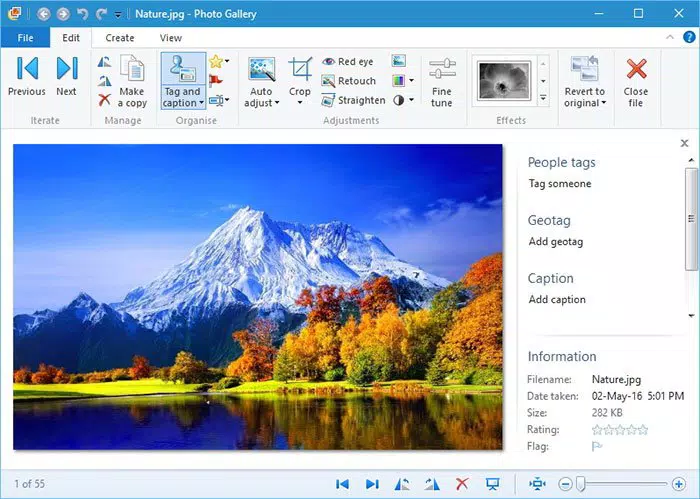
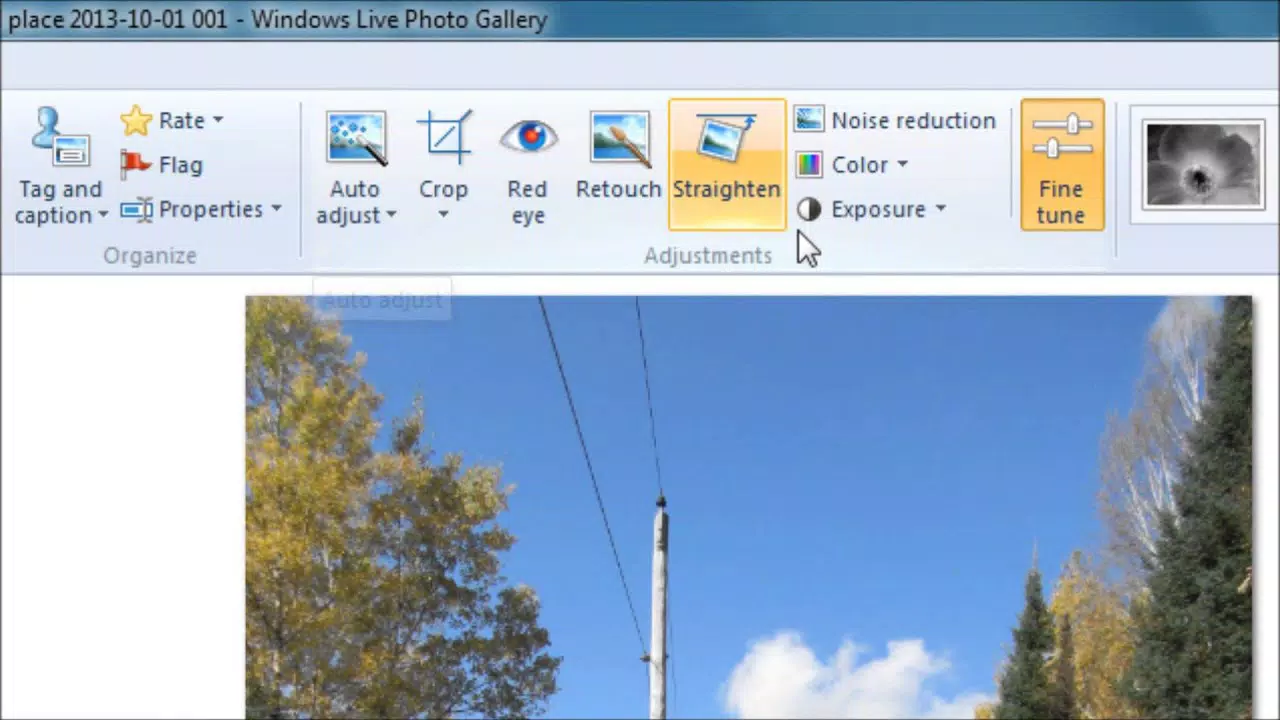
- Basic Editing Tools – Users can perform essential edits such as cropping, color correction, red-eye removal, and brightness adjustments. These tools are ideal for quick enhancements without requiring advanced knowledge.
- Seamless Sharing and Publishing – The app enables direct uploads to online platforms and supports CD burning, allowing users to preserve memories in physical formats with minimal effort.
- Panoramic Photo Feature – This feature allows users to stitch multiple images into a single panoramic view. However, it is not directly accessible through the main interface, requiring users to refer to external documentation for guidance.
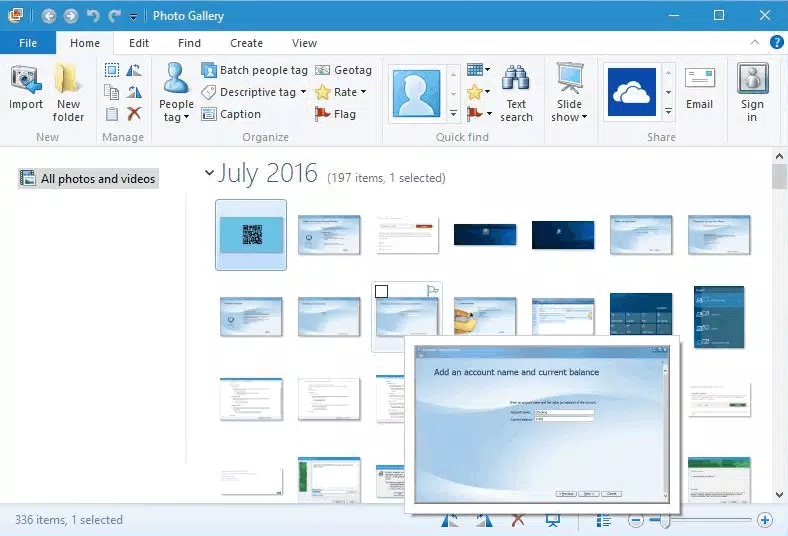
- Photo Organization Tools – Automatic tagging, date-based sorting, and album creation help users categorize and retrieve images efficiently, improving overall photo management.
For example, a user planning a family event can import all photos from a camera, use the editing tools to improve lighting, organize them into albums, and then share them via email or burn them to a CD for distribution. The integration of these functions into a single workflow enhances productivity for non-technical users.
Interface, UX & Performance
The user interface of Windows Live Photo Gallery reflects Microsoft’s commitment to intuitive design, with a layout that mirrors traditional Windows applications. Navigation is straightforward, with a sidebar for accessing albums, a central preview area, and a toolbar with clearly labeled icons. The visual style is minimalistic, focusing on functionality rather than decorative elements, which contributes to a clutter-free experience.
Navigation flows logically from importing photos to editing and sharing, with consistent feedback for user actions. Although the developer did not list formal performance metrics, the app operates smoothly on standard Windows systems, particularly those with adequate RAM and processing power. Responsiveness is maintained during common tasks like image loading and basic edits, though performance may vary on older hardware.
Stability appears to be consistent based on historical usage, though the app has not received updates since 2010. Users may encounter compatibility issues on newer Windows versions, especially those beyond Windows 10. The absence of recent updates suggests limited support for modern system changes, which could affect long-term usability.
Platform Compatibility & Technical Requirements
Windows Live Photo Gallery is designed exclusively for the Windows operating system. The app is compatible with Windows 7 and later versions, though specific requirements were not listed. The software version is 1.0.1147.0, and the file size is 20.5 MB, making it a lightweight download suitable for systems with limited storage.
Although the developer did not specify minimum OS requirements, the app was released in 2010 and is likely optimized for older Windows environments. Users on newer systems may face compatibility challenges, particularly with security updates or changes in system architecture. The app does not support macOS, iOS, or Android platforms, limiting its availability to Windows users only.
Pros and Cons
Pros
- Free to download and use, making it accessible to all users
- Simple, intuitive interface ideal for beginners and non-technical users
- Offers essential photo editing tools for quick enhancements
- Supports direct sharing and CD burning for offline distribution
- Lightweight at 20.5 MB, suitable for older or low-spec devices
Cons
- Outdated software with no updates since 2010
- Panoramic feature lacks clear access and documentation
- Not compatible with modern Windows versions beyond Windows 10
- Limited to Windows platform; no support for mobile or macOS
- No integration with cloud storage or modern social media APIs
FAQ
Is Windows Live Photo Gallery safe to download?
Yes, the app is a legitimate product from Microsoft and was widely distributed through official channels. However, due to its age, users should ensure their system is protected with updated antivirus software before installation.
Can I install Windows Live Photo Gallery on Windows 11?
While some users have reported success on Windows 11, the app was not officially tested or supported on this platform. Compatibility is not guaranteed and may result in instability or errors.
Does Windows Live Photo Gallery support mobile devices?
No, the app is designed exclusively for Windows desktop systems and does not have a mobile version for Android or iOS.
What file formats does the app support?
Windows Live Photo Gallery supports common image formats such as JPEG, PNG, BMP, and TIFF. Specific format details were not provided by the developer.
Is there a free version of this app?
Yes, the app is available at no cost. It was released as a free tool by Microsoft and remains accessible through third-party archives.
Final Thoughts
Windows Live Photo Gallery remains a solid choice for users who need a no-frills, easy-to-use photo management solution on Windows. While its age and lack of updates are notable drawbacks, the app continues to deliver on its core promise: simplifying the process of organizing, editing, and sharing photos. For individuals with older systems or those who prefer a lightweight, offline-first approach, it offers a reliable and functional experience.
Despite its limitations in modern compatibility and feature depth, the app’s intuitive design and essential toolset make it a valuable utility for casual users. Its focus on simplicity over complexity sets it apart from more advanced photo editors, positioning it as a suitable tool for those who want to manage their photos without unnecessary complexity.
Download Windows Live Photo Gallery now


